Missing a payroll processing deadline creates immediate stress, especially when employees expect timely pay and CRA compliance is at stake. If you’re using Wagepoint 1.0 payroll software and realize you didn’t submit payroll on time, don’t panic. In most cases, the situation is fixable, and the consequences can be managed if you act quickly.
This article walks through what happens when you miss a payroll deadline in Wagepoint 1.0, what your immediate options are, and how to reduce CRA risk.
Understand What “Missing the Deadline” Means in Wagepoint 1.0
In Wagepoint 1.0, payroll must be approved by a specific cut-off time (typically several business days before payday). If you miss that cut-off:
- Wagepoint will not withdraw funds.
- Employees will not be paid on the scheduled payday.
- No payroll remittance is sent to CRA for that run.
At this stage, the payroll is considered not processed, not late.
Why can this happen? Most commonly, this happens around federal bank holidays. And the most common time is during the week of Christmas Day and Boxing Day. When two bank holidays fall in the same week, you must process payroll at least two business days earlier than usual, which can require you to submit payroll before the pay period ends.
Your Immediate Options
Option 1: Process Payroll for the Next Available Pay Date
If the deadline has passed, your primary option is to:
- Log in to Wagepoint.
- Process payroll for the next available pay date.
- Communicate clearly with employees about the delay.
Employees receive their pay late, but you keep payroll records accurate and CRA reporting clean. However, this could be a hardship for your employees so you will want to consider that carefully. If the owner/manager is the only employee, then this is likely the best option.
Option 2: Pay Employees Manually via Wagepoint (after a missed payroll deadline)
If employees cannot wait:
- You may issue manual payments (e.g., e-transfer or cheque)
- Still process payroll in Wagepoint and remit the CRA remittance via Wagepoint. This will ensure:
- Year-to-date totals are correct.
- T4s are accurate.
- CRA remittances are reported properly.
⚠️ Important: Manual payments cannot replace payroll reporting. You must process the payroll in Wagepoint and pay your staff manually.
How to do this in Wagepoint 1.0 (if this does not look familiar check the 2.0 how to below):
- Login to Wagepoint
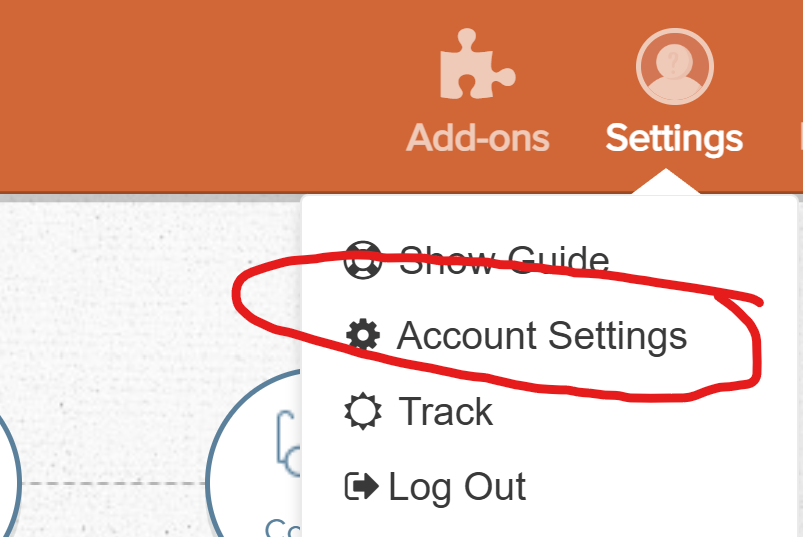
- Click Account Settings
Wagepoint
- Under Company Settings Toggle “Employees Paid by Direct Deposit” to No


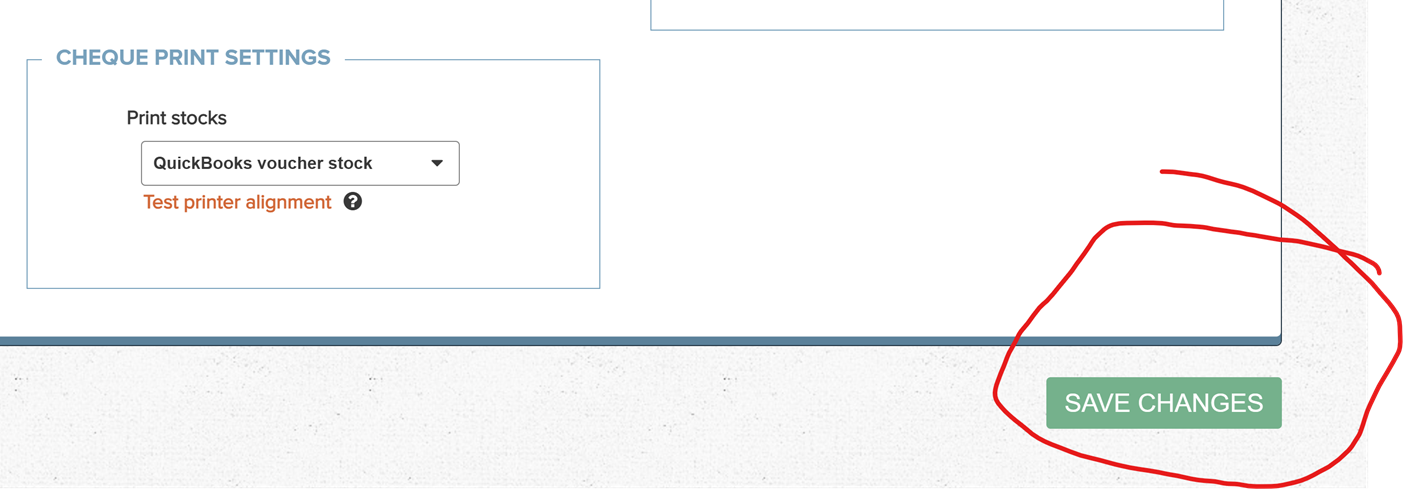
- DON’T FORGET to then SCROLL to the BOTTOM of the Page and Click “SAVE.”
Wagepoint 4
- Process your payroll as normal in Wagepoint. Once you turn off direct deposit for employees, you should be able to change the date of your pay date to the correct date if you have not passed the pay date.
- E-transfer OR issue cheques for the net pay for your employees.
How to do this in Wagepoint 2.0 (if you are currently on the new platform):
- Login to Wagepoint 2.0
- Click Payroll
- Click Run
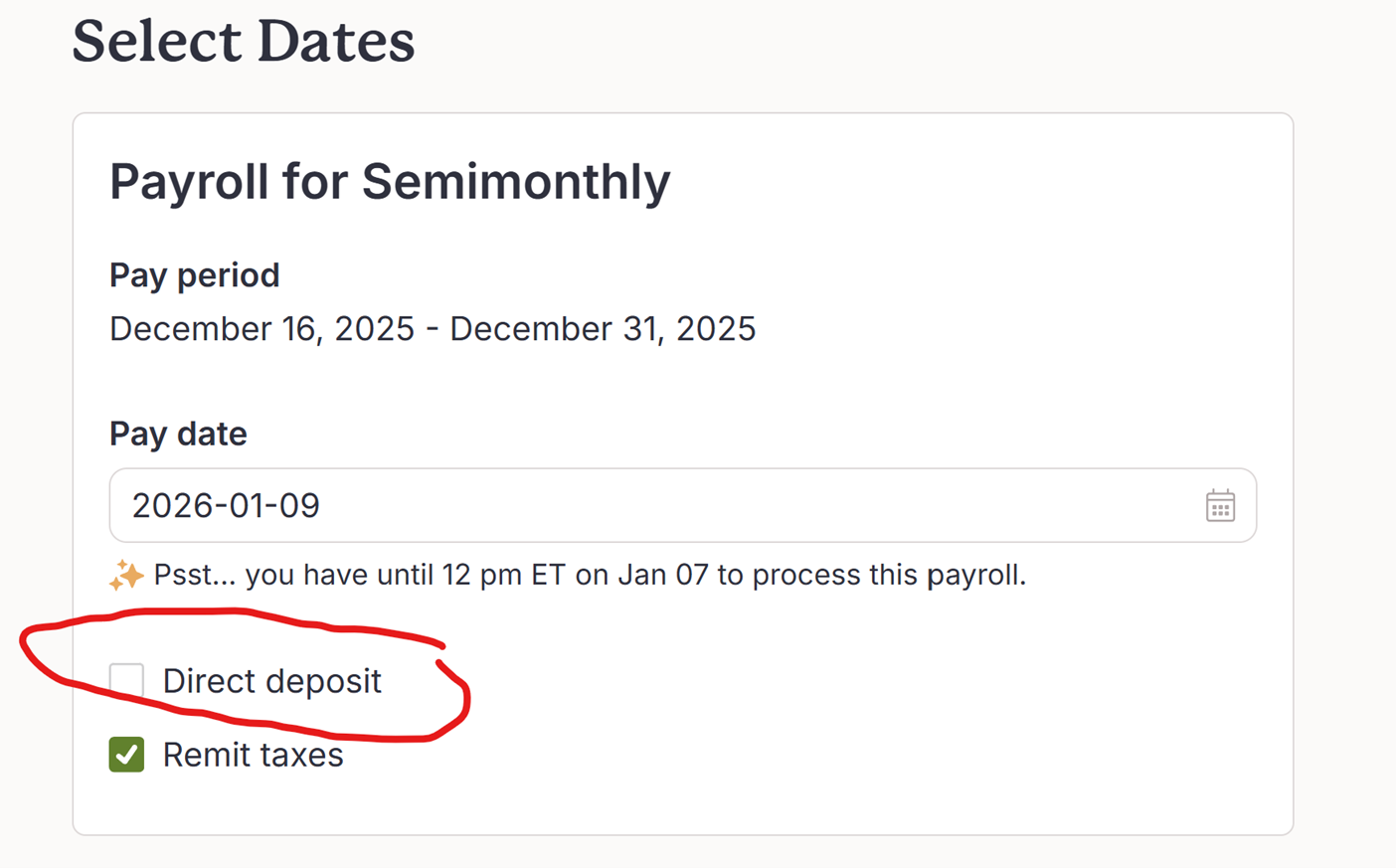
- Uncheck “Direct deposit” (recommend leaving remit taxes as checked)
- Process as normal from here.
- E-transfer or issue cheques to your employees on the pay date
What About Employee Rights?
Under provincial employment standards:
- Employees must be paid on or before their pay date.
- Occasional administrative delays happen, but repeated late pay can create compliance issues, so plan ahead to avoid these issues as best as you can. The compliance risk related to labour practice is beyond the scope of this blog.
Best practice:
- Correct using e-transfer or cheque.
- Communicate immediately.
- Provide a firm new pay date.
- Avoid making this a pattern.
How to Prevent Missed Payrolls in the Future
Here are practical safeguards we recommend to clients:
- Calendar reminders set 3–5 business days before payroll cut-off.
- Assign a backup payroll approver.
- Enable Wagepoint email reminders and ensure you are reading those emails.
- Keep payroll dates documented in internal procedures.
If payroll is mission-critical (it usually is), redundancy matters.
When to Get Professional Help
If:
- You miss payroll deadlines frequently.
- Manual payments are becoming common.
- CRA notices or penalties arise.
…it may be time to review your payroll process or outsource oversight.
A professional can:
- Review the Wagepoint setup.
- Reconcile CRA remittances.
- Assist in correcting payroll reporting for T4’s.
We know it can be very stressful when you have missed payroll. So do your best to avoid having this happen, and if it does, stay calm, hopefully the above allows you to process without issue on the original pay date or closely thereafter.
This blog is intended for general use and understanding. Specific cases can alter recommendations, which are often based on current court cases. These recommendations may evolve as new court cases or CRA interpretations become available. Thus, direct professional advice is always recommended to ensure you are getting the right information for you and your business. Need help with payroll, contact us here: https://vhaccounting.ca/contact-us/